Spam calls and texts are not just annoying. Many are scams. The Federal Trade Commission (FTC) says blocking is the most effective step, and that the Do Not Call list will not stop scammers. Here is what to do.

Key takeaways
- Do not click links in a text you did not expect, and do not call back numbers it gives. Contact the company using a phone number or website you know is real.
- Forward spam texts to 7726 (SPAM) and report scams at ReportFraud.ftc.gov.
- Use call blocking from your phone, your carrier or an app. The Do Not Call Registry does not block calls.
- If a robocall tries to sell you something and you never gave written permission, it is illegal. Hang up and do not press any number.
Spam texts
- Legitimate companies will not ask for account information by text.
- Check your phone’s settings for a way to filter or block spam or messages from unknown senders.
- Ask your wireless provider whether it offers a text- or call-blocking tool.
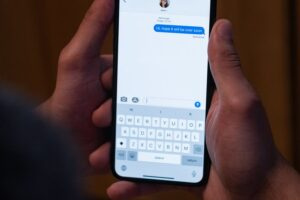
- Report it: copy the message and forward it to 7726 (SPAM), which helps your provider spot and block similar texts. You can also use your messaging app’s report-junk option, and you can report to the FTC at ReportFraud.ftc.gov.
Typical bait includes free prizes, gift cards, student-loan help, and fake account-problem or delivery notices. Links may lead to fake sites that capture passwords, and some messages may install malware. See also our guide to spotting phishing emails and texts.
Spam calls
The FTC explains that call blocking stops calls, while call labelling only shows a warning such as “spam” and still rings.
- Cell phone: use a call-blocking app from your phone’s app store (check ratings and the app’s privacy policy, since some apps access your contacts and some charge a fee), or your phone’s built-in number blocking and Do Not Disturb.
- Phone provider: ask what call-blocking or labelling services it offers. Some are free.
- Home phone over the internet: ask your provider about an internet-based call-blocking service.
- Traditional landline: a small call-blocking device can be attached to the phone.
Caller ID can be faked, including “neighbour spoofing” that copies your own area code and first digits, and scammers often pretend to be government agencies.
The National Do Not Call Registry
- What it does: it is meant to stop unwanted sales calls from real companies that follow the law. It is free. Register at DoNotCall.gov or call 1-888-382-1222 from the phone you want to register. Do not pay anyone to register for you.
- How long it takes: your number should appear the next day, but it can take up to 31 days for sales calls to stop. Registration does not expire.
- What it does not do: it does not block calls and does not stop scammers or other illegal callers. Political, charity, debt-collection, informational and survey calls may still come, and so may calls from companies you recently did business with.
How to report a call
- If you did not lose money, report it at DoNotCall.gov.
- If you lost money or have information about the scammer, report it at ReportFraud.ftc.gov.
- Include the number that was called, the caller ID number (even if fake), any callback number you were given, and the date and time.
Frequently asked questions
Should I press 1 to be removed from a list? No. The FTC advises hanging up and not pressing any number, which can lead to more calls.
Is registering on the Do Not Call list pointless? No. It helps against legitimate telemarketers, but it will not stop scammers.
This article is general information based on guidance from the FTC. It is not personal medical, legal or financial advice. Talk to a qualified professional about your situation.
Information checked on November 17, 2026.
Sources
Federal Trade Commission, “How To Recognize and Report Spam Text Messages” (July 2022), “How To Block Unwanted Calls” (July 2023) and “National Do Not Call Registry FAQs” (September 2023). Details such as phone numbers and rules can change, so check the FTC site. Photos are stock images for illustration.